

 README

README

Hazelcast Cloud CLI



Hazelcast Cloud CLI is known as
hzcloudis a command line tool to make actions on Hazelcast Cloud easily. Hazelcast Cloud offers the leading in-memory computing platform, Hazelcast IMDG, as a fully managed service that integrates with your existing virtual private cloud.
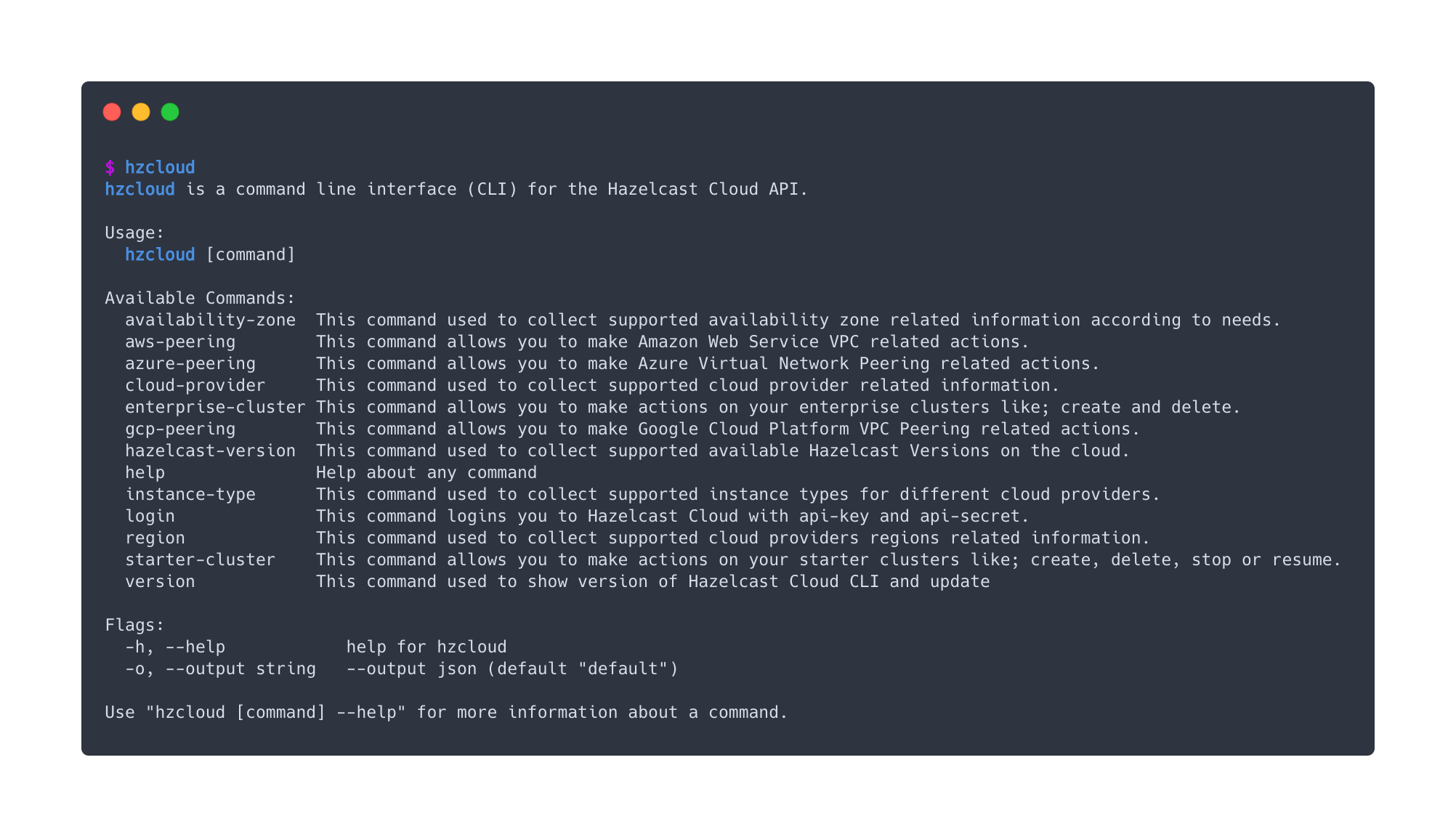
Installing hzcloud
Using a Package Manager (Homebrew)
brew tap hazelcast/hz
brew install hzcloud
Downloading a Release from GitHub
Visit the Releases page for the
hzcloud GitHub project, and find the version for your operating system and architecture. Then place it into your directory with name hzcloud or hzcloud.exe for Windows.
Linux
wget \
  https://github.com/hazelcast/hazelcast-cloud-cli/releases/latest/download/hzcloud-linux-amd64 \
  -O /usr/local/bin/hzcloud && chmod +x /usr/local/bin/hzcloud
Windows
curl -o hzcloud.exe `
  https://github.com/hazelcast/hazelcast-cloud-cli/releases/latest/download/hzcloud-windows-amd64
On Windows, in order to use hzcloud on everywhere you need to put hzcloud.exe into your PATH.
MacOS
wget \
  https://github.com/hazelcast/hazelcast-cloud-cli/releases/latest/download/hzcloud-darwin-amd64 \
  -O /usr/local/bin/hzcloud && chmod +x /usr/local/bin/hzcloud
Authentication with Hazelcast Cloud
After a successful installation, in order to use, you need to authenticate with Hazelcast Cloud by providing access tokens, which can be created from Developers tab in Hazelcast Cloud. You can check how to generate API Key and API Secret following the Hazelcast Cloud Documentation.
Using Environment Variables (Option 1)
You can pass your API Key as HZ_CLOUD_API_KEY and API Secret as HZ_CLOUD_API_SECRET on your environment variables. hzcloud will use these them to authenticate with Hazelcast Cloud
Using Login Command (Option 2)
You can use login command to provide your API Key and Secret from hzcloud.
$ hzcloud login
-  Api Key: SAMPLE_API_KEY
-  Api Secret: SAMPLE_API_SECRET
🚀 Examples
You can use hzcloud to interact with resources on Hazelast Cloud. You can find some examples to begin with.
- Create a Starter Cluster
hzcloud starter-cluster create \
  --cloud-provider=aws \
  --cluster-type=FREE \
  --name=mycluster \
  --region=us-west-2 \
  --total-memory=0.2 \
  --hazelcast-version=5.0.2-1
Also, you can check other parameters with help command
hzcloud starter-cluster -help
- List Starter Clusters
hzcloud starter-cluster list
- Create a Enterprise Cluster
hzcloud enterprise-cluster create \
  --name=mycluster \
  --cloud-provider=aws \
  --region=eu-west-2 \
  --zones=eu-west-2b \
  --hazelcast-version=5.0.2 \
  --instance-type=m5.large \
  --cidr-block=10.0.80.0/16 \
  --native-memory=4 \
  --wait
Also, you can check other parameters with help command
hzcloud enterprise-cluster -help
- List Enterprise Clusters
hzcloud enterprise-cluster list
- Update hzcloud
hzcloud version update
🏷️ Versioning
We use SemVer for versioning. For the versions available, see the tags on this repository.
⭐️ Built With
- Cobra - A Commander for modern Go CLI interactions
- Color - Color package for Go
- Go-Pretty - Pretty print tables and more in Go
🤝 Contributing
Contributions, issues and feature requests are welcome!
Feel free to check issues page.
📝 License
Copyright © 2020 Hazelcast.
This project is Apache License 2.0 licensed.

 Documentation

Documentation


There is no documentation for this package.
 Source Files
 Directories